Understanding Decision Table Testing: A Comprehensive Guide
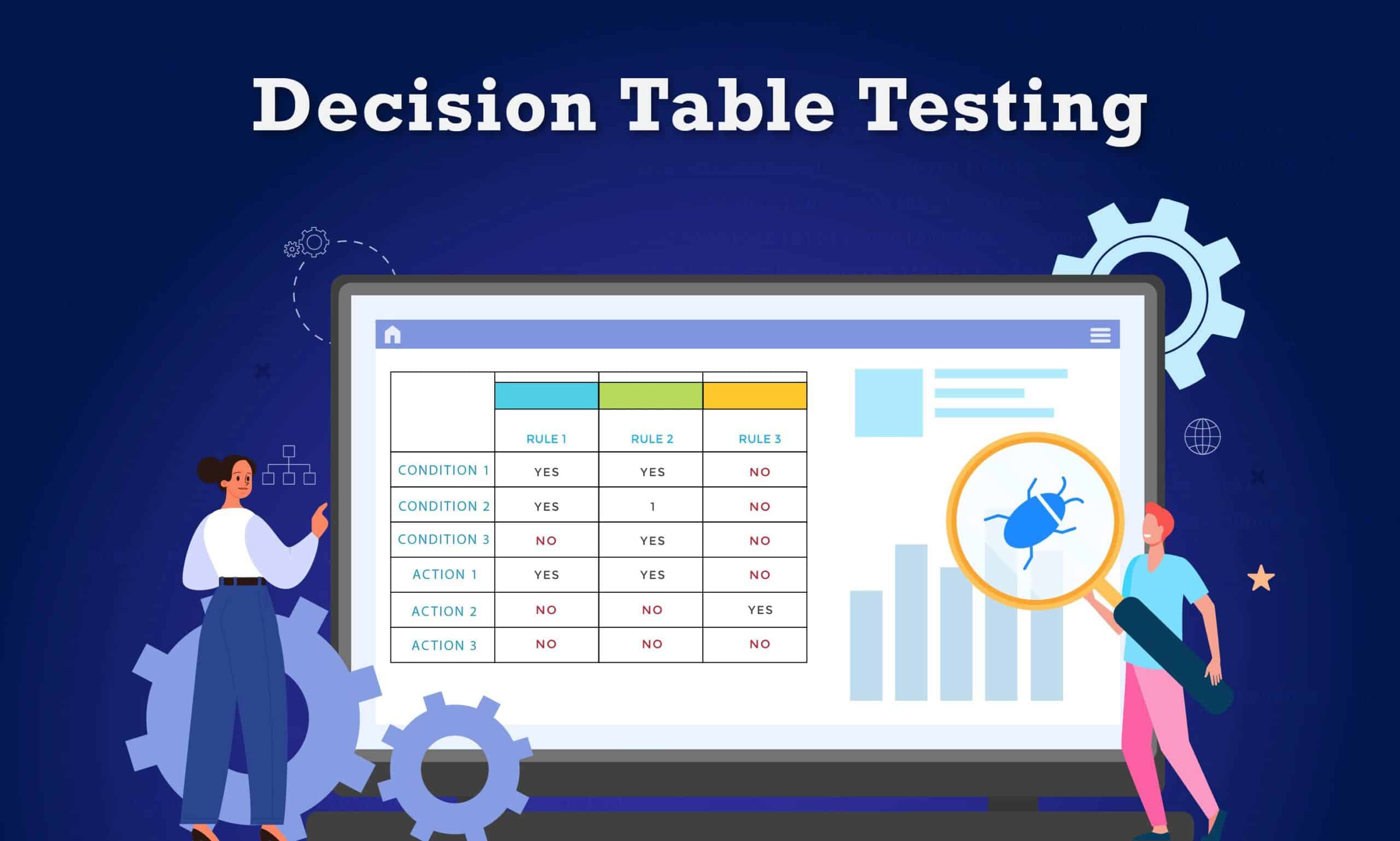
Software testing is an interesting field encompassing various methods and techniques used to evaluate the functionality, quality, and reliability of software applications. Decision table testing is a technique that you will encounter when you get into this space.
In this comprehensive guide, we will cover the technique of Decision Table Testing in-depth, delving into the fundamental concepts, components, practical applications, and pitfalls. Whether you are an experienced tester or a newcomer, by the end of this guide, you will be well-equipped to realize the full benefits of Decision Table Testing for your software products.
Let us get started.
What is Decision Table Testing?
Decision Table Testing is a software testing technique that is used to measure the reliability of a software application, especially when several input conditions could potentially affect the outcomes. This involves a systemic approach whereby you create a decision table that maps input conditions corresponding to their expected results, making it easier to identify test scenarios.
The decision table consists of rows that have combinations of conditions and columns corresponding to outcomes. As a tester or software developer, you can use this table to evaluate your software behavior under different scenarios, ensuring you obtain comprehensive test coverage to identify errors and defects in the software.
Components of a Decision Table
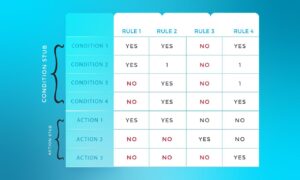
In software testing, the decision tables usually have 4 parts divided into separate portions. Let us have a look below:
- Condition Entries: In the condition entry, your values must be inputted in the upper right portion of the decision table, also known as rules. In this part, the are multiple columns and rows.
- Action Entries: In the action entry, every entry you provide must have a set of actions in the lower right portion of the decision testing table, usually known as Outputs.
- Condition Stubs: The conditions are in the first upper left of the decision table used for a set of actions.
- Action Stubs: Action is in the first lower left condition or below the condition stub or the decision table.
Real-world Examples of Decision Table Testing
Let’s learn with examples
Example 1: Login Screen Testing Table
Our login screen has E-mail and Password Input boxes.
The condition is straightforward. The user will be directed to the homepage if they input the right username and password. An error warning will appear if the given inputs given are incorrect.
| Conditions | Rule 1 | Rule 2 | Rule 3 |
|---|---|---|---|
| Username (T/F) | F | T | T |
| Password (T/F) | F | F | T |
| Output (E/H) | E | E | H |
Initials meaning:
T – Correct username/password
F – Wrong username/password
E – An error message is displayed
H – The home screen is displayed
Let’s assess test cases in each scenario
Case 1: The username and password are both incorrect.
Case 2: The username is correct, but the password is not.
Case 3: The username and password are correct.
Example 2: Tool Inventory
The table below shows the conditions and actions the business must take in different circumstances in its Tool Inventory System.
| Condition | 1 | 2 | 3 | 4 | 5 |
|---|---|---|---|---|---|
| Is the user authorized? | F | T | T | T | T |
| Availability of tool? | - | F | T | T | T |
| Is the tool delicate? | - | - | T | T | F |
| Is the user trained? | - | - | - | T | F |
| Action | |||||
| Reject | X | X | X | ||
| Accept | X | X |
For this condition, let’s create five test cases.
Case 1: The user lacks details for authorization and, therefore, is rejected.
Case 2: The user is not authorized, and the tool is not available, hence rejected
Case 3: The user is authorized, and the tool is available, therefore accepted
Case 4: The user is authorized, and the tool is available, therefore accepted
Case 5: The tool requested is delicate, resulting in rejection.
How to Create a Decision Table
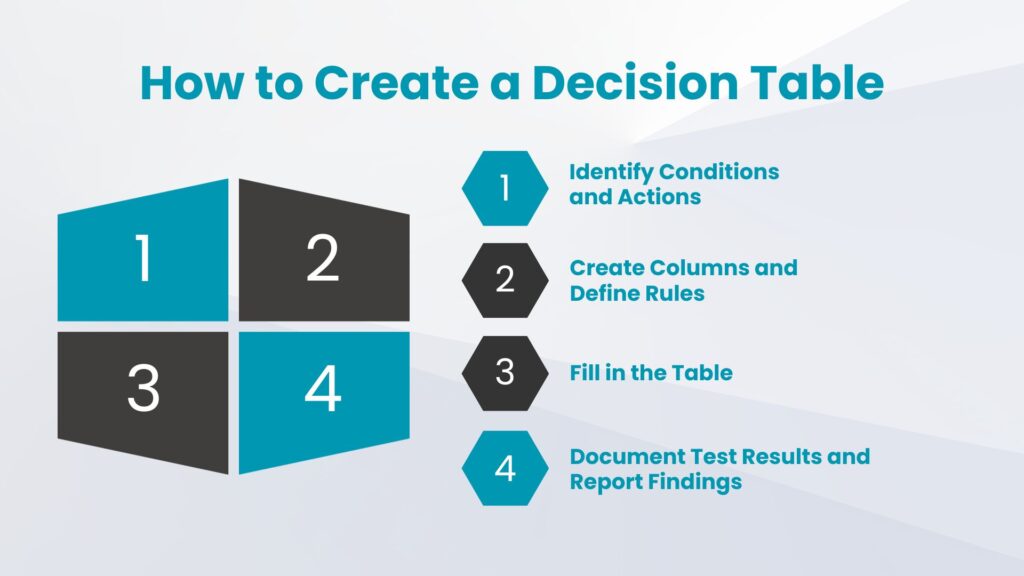
Creating decision tables ensures you test all possible combinations of conditions and actions. Here are the steps you can apply to create a decision-testing table:
- Identify Conditions and Actions:
- Conditions: These are the inputs you'll test.
- Actions: These are the expected outcomes.
- Create Columns:
- Set up columns for each condition and action.
- Include additional columns if needed for rules and results.
- Define Rules:
- A rule is a specific combination of conditions leading to an action.
- Ensure you cover all relevant combinations.
- Fill in the Table:
- Start filling in the table with the rules and their corresponding actions.
- Document Test Results:
- As you test, record the actual outcomes.
- This helps track test execution and compare expected vs. actual results.
- Report Findings:
- After testing, analyze and report any discrepancies.
- This is crucial for addressing defects and making informed decisions.
Common Pitfalls and How to Avoid Them
When conducting decision testing, there are common pitfalls that you should be aware of, and it is necessary to look into these steps to avoid having stressful experiences:
- Overlapping Rules:
- Avoid defining conditions that lead to unclear actions.
- Ensure each rule is distinct and corresponds to a specific action.
- Use comments to clarify overlapping values.
- Failure to Prioritize:
- Prioritize rules based on business importance.
- Orderly and specific prioritization aids in effective testing and decision-making.
- Complicating the Table:
- Avoid overly complex tables with too many conditions and rules.
- Aim for simplicity to ensure clarity and prevent format issues.
- Lack of Collaboration:
- Collaborate with relevant stakeholders when creating the table.
- Joint input ensures all perspectives are considered and agreed upon.
- Not Documenting:
- Document all findings, constraints, and limitations.
- Proper documentation is crucial for accurate interpretation.
Be aware of these pitfalls and take measures to avoid them to have an effective decision table that presents your testing true picture.
Decision Table Testing Tools
Decision table testing tools provide you with features for defining your decision tables, conducting test scenarios, and checking where your defined logic works correctly. Here are some that can get you started.
- IBM Operational Decision Manager (ODM):
- Enables logical definition and management of decisions.
- Automates decision processes.
- Ensures alignment with business rules.
- OpenRules:
- Ideal for integrating decision tables with Excel.
- User-friendly interface for execution and rule management.
- Drools:
- Known for its powerful rules engine.
- Simplifies creation and management of complex decision logic.
- Microsoft Excel:
- Commonly used for decision table creation.
- Offers a spreadsheet interface for defining and testing decisions.
- Not dedicated to decision table testing but versatile.
- Corticon:
- Features a graphical interface for decision tables.
- Provides execution capabilities and rules modeling.
- Blaze Advisor:
- Efficient creation and management of decision tables.
- Integrates well with various enterprise systems.
- Trisotech:
- Renowned for robust modeling capabilities.
- Visual interface for defining, analyzing, and optimizing decisions.
Choosing the Right Tool:
- Consider your project or organization’s specific needs.
- Evaluate ease of use, licensing costs, and integration capabilities.
Each tool offers unique features, so select one that aligns best with your decision table testing requirements.
Conclusion
By delving into the complexities of decision tables, conditions, and rules, this comprehensive guide has elaborated the testing processes, empowering you as a software developer, testing team, or relevant practitioners to make informed decisions in creating effective test cases. With this knowledge, you can be able to streamline the testing process and manage various complicated software testing. Decision table testing is a valuable technique in ensuring your software or applications are reliable.
Thanks for reading! Let me know what you think in the comments below.
Learn more about other testing methods below:
- White Box vs Black Box Testing
- Functional Testing vs Regression Testing
- Automated Testing: How does it fit in DevOps?
Frequently Asked Questions
A decision table is a structured representation of a decision logic made up of combinations of conditions corresponding with actions or outcomes. It is used to document complex business rules and for making decisions. They are commonly used for software testing and business analysis.
Want to learn more?
Check out our courses to master test automation and advance your career.
Explore Courses